My first Unison server
In this post, I pick up where I left off the last time. We’ll take that small average color program and build a small webapp where users can select N colors and get the average for it.
ucm.
The source for the color program is available on Unison Share.
The http dependency
I already have the http lib installed, because I installed it when I wrote the initial implementation. I never got around to do anything with it, so I wrote the first blog post without mentioning it.
But today, as I got ready to work on the HTTP server, I went to the docs and scrolled down to the server section. I grabbed the snippet and dropped it into my scratch file. Right away, the ucm told me it was wrong. Which was weird to me because I know this documentation is valid Unison, because Unison has an awesome Doc type.
The error looked like this:
  Loading changes detected in ~/workspace/dev/myunison/scratch.u.

  The expression in red needs the {Random} ability, but this location only has access to these abilities: {IO, Exception}

     14 |   Threads.run do
     15 |     serve routes config
     16 |     printLine "started server on port 8081"
     17 |     sleepMicroseconds (24 * 60 * 60 * 1000000)
We can’t see it in the snippet above, but the whole block of code above is red in the terminal.
For some reason, the snippet I got from the docs does not require the Random ability, but my ucm does. I dug through the docs for a little bit to try to find out what I had done wrong. Then, I realized that I probably have a different version of http installed in my project and that version requires Random.
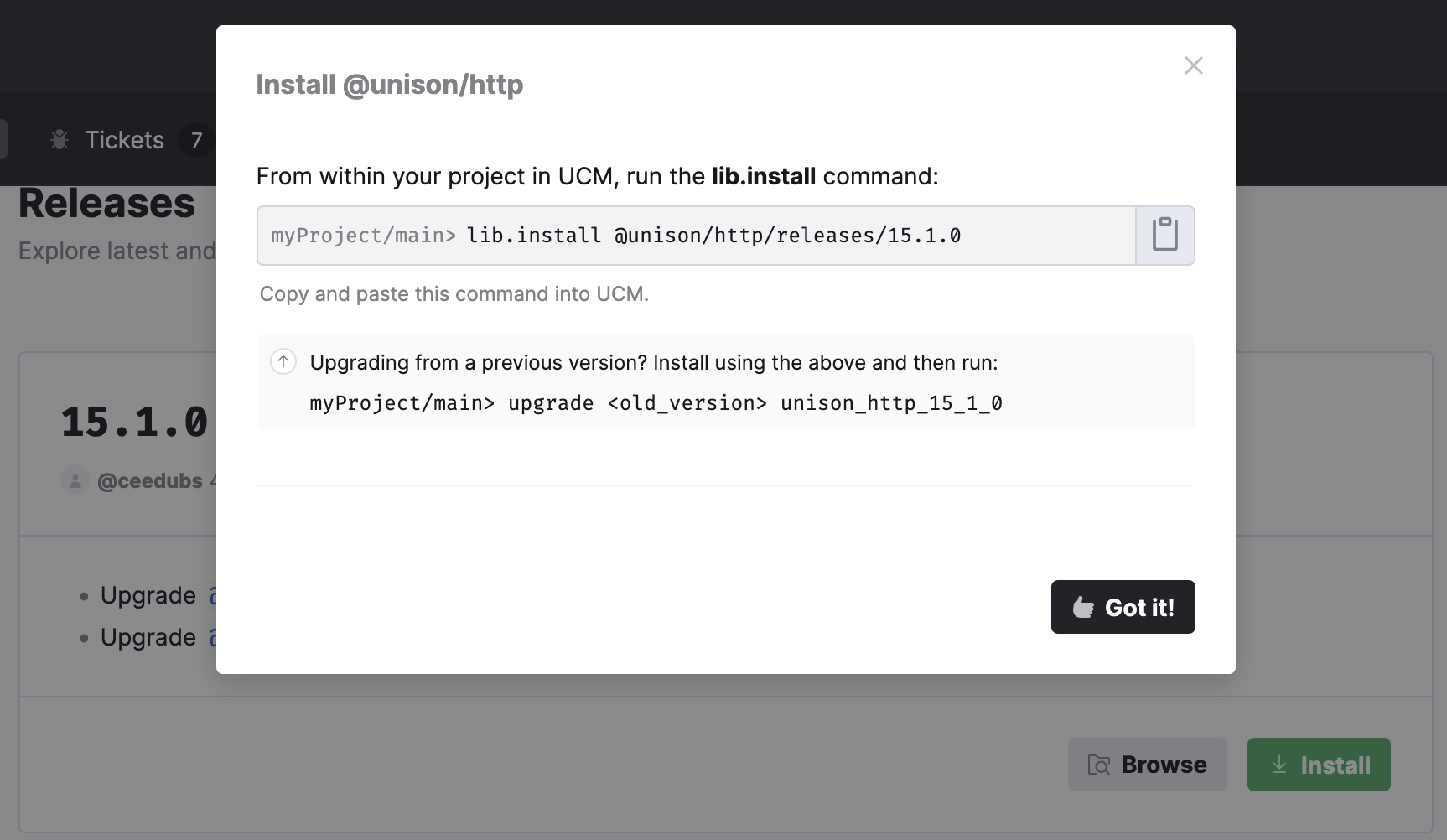
At this point, I headed over to the releases page and found the instructions to upgrade easily.
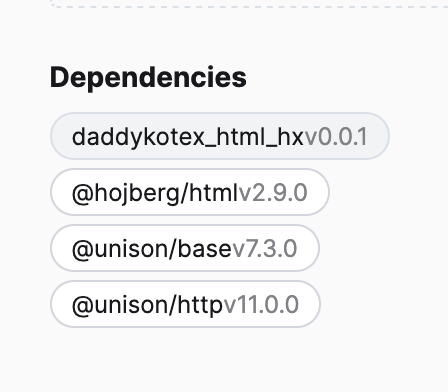
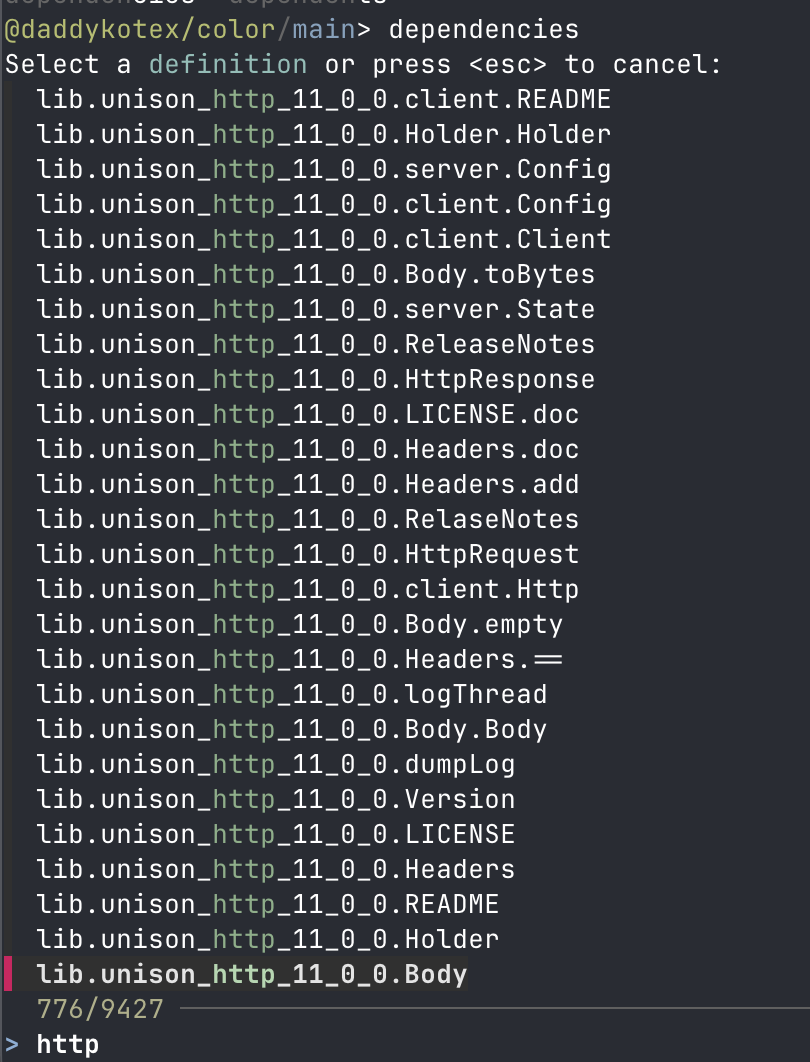
But before I proceed with the upgrade I wanted to know what version I had in my project, so I tried to find it. I was able to find it in 3 different places:
the Unison share UI shows it
the UCM can be used to find it: dependencies
The is also an UI embedded in the ucm that you can open by typing ui in the prompt. This will open a browser with a Unison Share like ui but focused on your project. From there you can navigate around and find the docs for the specific version of libraries that you use. That’s a great feature.
Proceeding with the upgrade, I ran: lib.install @unison/http/releases/15.1.0. The ucm confirmed that the version had been updated. Then I ran: upgrade unison_http_11_0_0 unison_http_15_1_0.
Saved my scratch.u file (touched it) to trigger the ucm and then I saw a new error:
@daddykotex/color/main>

  Loading changes detected in ~/workspace/dev/myunison/scratch.u.


  I couldn't figure out what Threads.run refers to here:

     13 |   Threads.run do

  The name Threads.run is ambiguous. Its type should be: (Unit ->{𝕖, IO, Exception, Threads} Unit)
  -> Unit

  I found some terms in scope that have matching names and types. Was any of these what you wanted?

  systemfw_concurrent_9_0_0.Threads.run : (Unit ->{IO, Exception, Random, Threads} a) ->{IO, Exception} a
  systemfw_concurrent_8_2_0.Threads.run : (Unit ->{IO, Exception, Random, Threads} a) ->{IO, Exception, Random} a
We can see from the error, that the Random instance is not required anymore because http upgrade its dependencies from 8.2.0 to 9.0.0. At this point, I’m not entirely sure of what I need to do. How can I tell the ucm that which one I prefer.
I tried copying the fully qualified name: systemfw_concurrent_9_0_0.Threads.run and replace Threads.run with it. It worked, but I find it annoying. Especially because after the upgrade, I don’t expect any of the code that I had written to have a dependency on the 8.2.0 version so I assume this should be removed.
The ucm reference does not seem to have anything remove a dependency.
Anyway, at this point, I wanted to move on so I started looking into the handler implementation.
Returning HTML
The first thing I need is a route that returns some HTML. So, looking at the README from the http lib, I came up with this:
internal.server.colorsRoutes : Handler g
internal.server.colorsRoutes =
  Handler cases
    req| Routes.get root req ->
      ok (Body (Text.toUtf8 "<p>Hello World</p>"))
    _ -> abort
Upon save, the ucm told me everything was all right so I added the term to my codebase with add.
Then I hooked it up in the example.main server that I copied earlier from the http docs. It looked like this:
 example.main : '{IO, Exception} ()
 example.main = do
   use Nat *
   config = server.Config.default |> Config.port.set (Port "8081")
-  routes = Routes.default <<< alohaHandler <<< helloHandler
+  routes = Routes.default <<< colorsRoutes
   systemfw_concurrent_9_0_0.Threads.run do
     serve routes config
     printLine "started server on port 8081"
     sleepMicroseconds (24 * 60 * 60 * 1000000)
Upon save, ucm told me everything was all right and so I did:
> run example.main
started server on port 8081
And pointed my browser at it, and it worked. Now, let’s craft a more elaborate HTML page. There’s very little value in taking the time to write out a beautiful page myself, so I asked Claude to generate a simple HTML page, self-contained, with only tailwind as a dependency for simple styles. It did so in just a few seconds.
To integrate it inside of my project, I’ll be using the html library. This requires me to port over the HTML into the right data structure in Unison.
I came up with a few functions to build the head and the body and stitched them together, like so:
internal.server.html.body : BodyArgs -> Html
internal.server.html.body bodyArgs =
  use Text ++
  Html.body
    [] [Html.div [] [p [] [Html.text ("Hello " ++ BodyArgs.name bodyArgs)]]]


internal.server.html.head : HeadArgs -> Html
internal.server.html.head headArgs =
  Html.head
    []
    [ meta [charset "UTF-8"]
    , meta
        [ Attribute.name "viewport"
        , Attribute.content "width=device-width, initial-scale=1.0"
        ]
    , Html.title [] [Html.text (HeadArgs.title headArgs)]
    , script [src "https://cdn.tailwindcss.com"] []
    ]


internal.server.html.colorPage : HeadArgs -> BodyArgs -> Html
internal.server.html.colorPage headArgs bodyArgs =
  html [] [html.head headArgs, html.body bodyArgs]
You can try it out directly in the ucm, to see if it works:
26 | > colorPage (HeadArgs "Title") (BodyArgs "name") |> Html.toText
        ⧩
        "<html><head><meta charset='UTF-8' /><meta name='viewport' content='width=device-width, initial-scale=1.0' /><title>Title</title><script src='https://cdn.tailwindcss.com'></script></head><body><div><p>Hello name</p></div></body></html>"
Html data structure. There is also html-parse that could be used for that.
Good, now I just need to use that inside of my colorsRoutes:
 internal.server.colorsRoutes : Handler g
 internal.server.colorsRoutes =
   Handler cases
     req| Routes.get root req ->
-      ok (Body (Text.toUtf8 "<p>Hello World</p>"))
+      headArgs = HeadArgs "My Title"
+      bodyArgs = BodyArgs "David"
+      body = colorPage headArgs bodyArgs
+      ok (Body (body |> Html.toText |> Text.toUtf8))
     _ -> abort
At this point, I run update in the ucm to save the new definitions and I run run example.main to look at it from my browser.
It works!
Before going any further, I wanted to deploy it to the cloud, to see it live outside my local computer.
Unison Cloud
Unison Cloud is the core offering from Unison computing. It allows users to deploy arbitrary Unison program to the cloud. In particular, for us, it means deploying our service to the cloud, using regular Unison code.
I installed the package through the ucm: lib.install @unison/cloud.
Then after looking at the docs, I tried to deploy my colorsRoute program.
My colorsRoute program is of type: Handler g, which is not the same as HttpRequest -> HttpResponse. I need to write a conversion function to turn the Handler g into the right shape. Using the ucm I explore the definition Handler through view Handler, which shows:
  type lib.unison_http_15_1_0.server.Handler g
    = Handler (HttpRequest ->{g, Exception, Abort} HttpResponse)
    | HandlerWebSocket (HttpRequest ->{g, Exception, Abort} WebSocketHandler)
We can use pattern matching to implement this. For now, I’ll simply ignore the HandlerWebSocket case and return an error in this case.
Started off with this following:
internal.server.handlerToFunction: {g} Handler g -> {g} HttpRequest -> {g} HttpResponse
internal.server.handlerToFunction = cases
  Handler h ->
    todo
  HandlerWebSocket h ->
    req -> default500 (Generic.failure "WebSocket not supported" req) req
This uses Unison’s pattern matching and its cases keyword which is very pleasant to use. Now let’s implement the Handler h case.
We know from our introspection on Handler earlier, that we will need to handle two abilities: Abort and Exception. Unison abilities are still new to me, so I reached out to the docs again. From there I tried to locate a handler to remove the ability from the return type of my function. For Exception, I found catch, which looks like this (using view catch in the ucm):
  lib.unison_base_7_3_0.abilities.Exception.catch : '{g, Exception} a ->{g} Either Failure a
  lib.unison_base_7_3_0.abilities.Exception.catch ex =
    handle ex()
    with cases
      { a }                      -> Right a
      { Exception.raise f -> _ } -> Left f
So we can use the handle keyword to wrap our computation and then handle each ability in a with cases clause. In the snippet above, the last line is what is interesting to us. I was not sure what was the _ referring to, so I kept reading the docs and it is usually called resume. It represent the rest of the program. For us, it’s not useful because we just want to return an error HttpResponse and move on. But in some ability handler, it’s the way to perform some operation and then continue the execution.
Inspired, by the available implementation, I implemented my handler in this way:
internal.server.handlerToFunction: {g} Handler g -> {g} HttpRequest -> {g} HttpResponse
internal.server.handlerToFunction = cases
  Handler h ->
    req ->
      handle h req
      with cases
        { Abort.abort -> _ } -> default404 req
	{ Exception.raise failure -> _ } -> default500 failure req
	{ resp } -> resp
  HandlerWebSocket h ->
    req -> default500 (Generic.failure "WebSocket not supported" req) req
I can test it locally using, again, using the ucm support for evaluating expression directly: > (handlerToFunction colorsRoutes) (HttpRequest.get (URI.parseOrBug "http://localhost:1313")). This shows me a 200 OK in the console, so I am confident that this will work.
Now let’s use the output of the handlerToFunction with Unison Cloud to deploy our service. Looking at the docs, we can use Cloud.run.local.serve to do that.
deployLocalColor : '{IO, Exception} ()
deployLocalColor = do Cloud.run.local.serve do
  service = handlerToFunction colorsRoutes
  _ = deployHttp Environment.default() service
  printLine "Local Server is Started"
This uses the deployHttp function, that needs the Cloud ability, which is provided through Cloud.run.local.serve. When you add the above to your codebase and do run deployLocalColor, you will see the following output to the terminal:
Local Cloud computation starting in the background, press Enter to stop it when it is done or ctrl-c to interrupt it.

Service exposed successfully at:
  http://localhost:8080/h/ed2ba3deb0d46e5ffd3dd60e63208195b00f7d82231bd26df6168564b18d6749/
Local Server is Started
Local Cloud computation has completed. Press Enter when you are done with the local Unison Cloud instance.
Unfortunately, when loading the page I get a 404. I have a suspicion that the problem I have is related to the path my route is defined on, so instead of Routes.get root req ->, let’s try: Routes.get (root Path./ "test") req -> and see if that works better.
Cloud.run.local handler and that’s why it is not working.
Opening the new URL/test in my browser, and it works.
In the next post, we’ll write the real HTML page and deploy it to the cloud.